
Losing your mobile connection during an urgent call because of low credit is extremely frustrating. Understanding exactly How to Check Etisalat Balance for Prepaid & Postpaid mobile accounts allows you to track your remaining data and minutes quickly and easily. Although the network officially rebranded to e& recently, all standard service codes will still operate perfectly in 2026. By learning these simple offline codes and smart application methods you can easily avoid sudden disconnections and control your monthly telecom expenses perfectly.
Etisalat Balance Check Codes: Quick Reference

Advertisements
All USSD codes in one place. These work without the internet, are free, and give results within seconds.
| Code or Action | What It Does | Works For |
| Dial *121# | Main credit balance | Prepaid only |
| Dial *142# | Remaining credit limit (postpaid) | Postpaid only |
| Dial *170# | Data balance | Prepaid and Postpaid |
| Dial *101# | Full account overview | Prepaid only |
| Dial *140# | Postpaid bill and usage | Postpaid only |
| SMS “BAL” to 170 | Credit balance by SMS | Prepaid |
| SMS “DATA BAL” to 1010 | Data balance by SMS | Prepaid |
| SMS “Voice” to 1012 | International minutes remaining | Postpaid |
| Call 101 | Customer care (toll-free) | All users |
| Call 800 101 | From a non-Etisalat number | All users |
How to Check Etisalat Prepaid Balance
Prepaid users (Wasel or Visitor Line) pay before use. When your balance runs out, calls and data stop until you recharge. Five ways to check:
1. USSD Code (Fastest)
This offline code is the absolute fastest way to check your remaining limits.
- Open your mobile dialer and type 121# directly on your screen.
- Press call to see an instant popup showing your credit and expiry date.
- Dial 050# for daily deals or *101# for exclusive prepaid promotions.
2. SMS Method
This simple messaging method delivers your account details straight to your inbox.
- Open your mobile messaging application and type the word ‘BAL’ clearly.
- Send it to ‘170’ to receive your main balance details instantly.
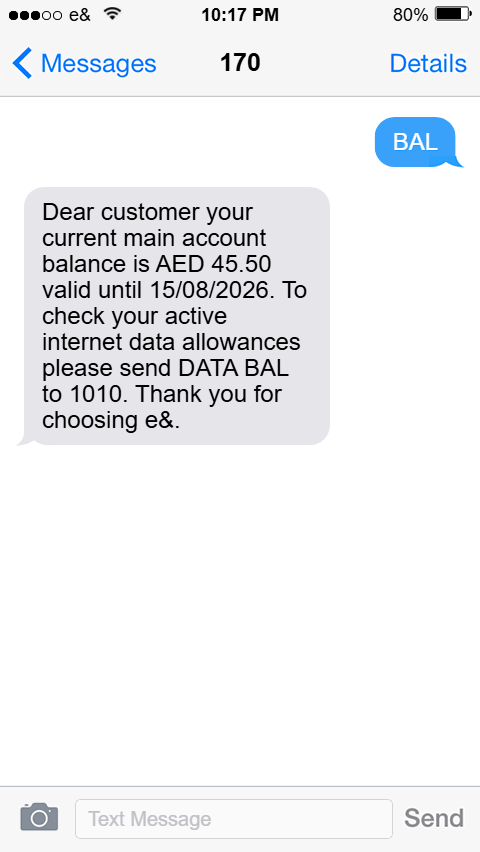
- Text ‘DATA BAL’ to ‘1010′ to verify only your remaining internet data.
3. My e& UAE App
The digital application provides complete control over your prepaid telecom account.
- Install the My e& UAE app and set up your biometric login easily.
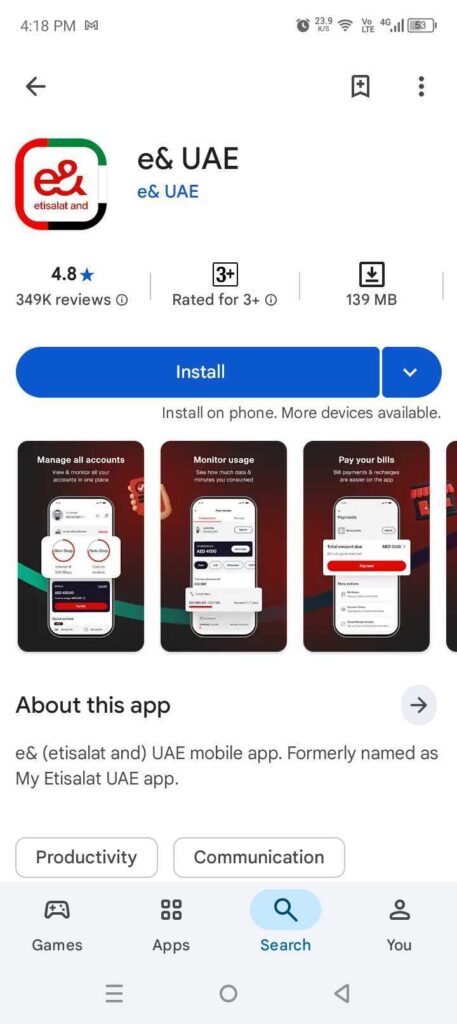
- Login securely using your mobile number and the 6 digit OTP.
- Check your main dashboard for remaining data and your recharge history.
4. Etisalat Website
Desktop users can utilize the official website to monitor their active allowances easily.
- Visit the official Etisalat website and click on the ‘My Account’ section.

- Sign in securely using your mobile number OTP or your UAE Pass.
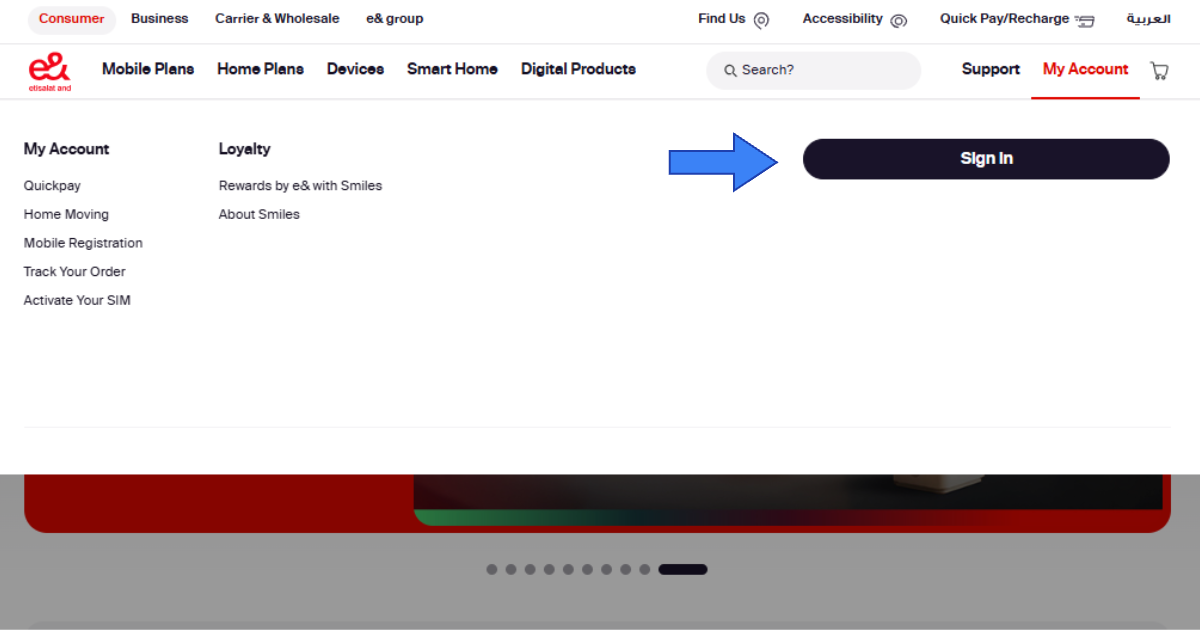
- View your complete dashboard to track all your active network packages.
5. Customer Care
Dial ‘101’ from your Etisalat number (toll-free, 24/7). Press 2 for English, then follow the voice prompts. From a non-Etisalat number within the UAE: call 800 101. From outside the UAE: call +971 400 444101 (international rates apply).
How to Check Etisalat Postpaid Balance
Postpaid users can track monthly plan usage and check bill amounts before the due date rather than monitoring a credit balance.
1. USSD Code *140#
Dial 140# from your postpaid number. You will receive an SMS with your bill amount, due date, and remaining allowances. For data: dial 170#. For international minutes, send “Voice” to 1012.
2. My e& UAE App
After login, the dashboard shows your bill amount, due date, data usage percentage, remaining minutes and SMS, and any extra charges. You can download PDF invoices and pay your bill directly from the app. The ‘Autopay’ option lets you set up a monthly auto-debit on your card so you never miss a payment. If you need a UAE bank account for this purpose, opening a bank account in Dubai may be a good starting point.
3. Etisalat Website
Login to Etisalat website and go to the ‘Bills’ or ‘Usage’ tab. You will get a full breakdown of calls, data, SMS, and roaming charges for the current billing cycle along with access to previous bills.
How to Check Etisalat Data Balance
| Method | How | Works For |
| Dial *170# | USSD, no internet needed | Prepaid and Postpaid |
| Dial *101# | Full account USSD | Prepaid only |
| SMS “DATA BAL” to 1010 | SMS method | Prepaid |
| My e& UAE App | Dashboard view | Both |
| Auto SMS alert | Sent by Etisalat at 80% and 100% data | Both automatically |
Etisalat automatically sends you an SMS when you hit 80%, 90%, and 100% of your data limit.
How to Recharge Etisalat Online in UAE
Adding mobile credit to your prepaid network account digitally saves you valuable time and physical effort. You can utilize several secure payment platforms to complete your balance top-up instantly without visiting a local store.
1. Quick Pay Portal (No Login Needed)
Go to Etisalat Quickpay and enter your mobile number. Choose an amount between AED 5 and AED 500, and pay with your UAE Visa or Mastercard. Balance updates instantly. No account or app required.
2. My e& UAE App
Tap ‘Recharge’ from the dashboard, select your amount or a data plan, and pay using a savings card or e& Money wallet. Use ‘Recharge for Others’ to top up someone else’s number. Qualifying recharges above AED 10 will get 15% bonus credit valid for 3 days.
3. Voucher Cards and eVouchers
Buy a physical recharge card from any supermarket, petrol station, or telecom shop. Available in AED 25, 50, 100, and 200 denominations. Scratch the back to reveal the PIN, then dial 120PIN# to apply it. eVouchers work the same way but are bought online and delivered to your email or phone.
4. UAE Bank Apps
Open your banking app, go to ‘Payments’ then ‘Mobile Recharge’, select ‘Etisalat’, enter the number and amount, and confirm. Balances update within one minute. Works with FAB, Mashreq Bank, ADCB, Emirates NBD, and Emirates Islamic Bank.
5. Credit Transfer to Another Number
Dial 100recipient number*amount# and press call. Example: 1000501234567*20#. Both numbers must be Etisalat prepaid and the minimum transfer is AED 5. No internet is needed.
Recharge Methods at a Glance
| Method | Internet | Time | Best For |
| Quick Pay Portal | Yes | Instant | One-time, no app |
| My e& UAE App | Yes | Instant | Regular users |
| Voucher Card | No | Instant | Cash payments |
| Bank App | Yes | Under 1 minute | Existing banking users |
| Credit Transfer USSD | No | Instant | Sending to others |
Common Issues and Quick Fixes
| Problem | Fix |
| USSD code not working | Check signal, make sure you use the right code for your plan type |
| App balance not refreshing | Pull down to refresh or reinstall the app |
| Balance not updated after recharge | Wait 5 to 10 minutes, toggle flight mode off and on |
| Wrong code error | Prepaid uses *121#, Postpaid uses *140#, do not mix them |
| SIM inactive or expired | Visit Etisalat store with your Emirates ID |
| USSD not working abroad | Use the e& app on Wi-Fi or call +9714004121 (Etisalat’s official roaming helpline) |
If your registered telecom profile requires an immediate document renewal you should process an Etisalat Emirates ID update to maintain your active network services completely uninterrupted. You can also verify your exact SIM registration details anytime by running a simple Etisalat number owner check to confirm your current ownership status securely.
Final Thoughts
For prepaid users, 121# checks credit and 170# covers data. For postpaid, *140# gives you bill and usage details. The My e& UAE App is the most comprehensive all-in-one option for anyone who wants a full view without dialing codes.
Check your balance every few days. It takes three seconds with a USSD code and saves you from unexpected interruptions. In the case of du users, the du number check covers similar procedures.
FAQs
What is the Etisalat balance check code in UAE?
Dial 121# for prepaid credit. For data, dial 170#. Postpaid users dial *140# for billing and usage.
How do I check my Etisalat data balance?
Dial *170# or send “DATA BAL” to 1010. You can also check via the My e& UAE App on your dashboard.
How do I recharge Etisalat without logging in?
Visit Etisalat Quickpay, enter your number, pick an amount, and pay with your card. No login is needed.
Can I check my Etisalat balance from outside the UAE?
Yes. Use the My e& UAE App on Wi-Fi or call +971 400 444101. USSD codes do not work while roaming.
Is Etisalat the same as e&?
Yes. Etisalat rebranded to e& but all services, codes, and customer care numbers remain the same.
What do I do if my Etisalat SIM stops working?
Visit an Etisalat store with your Emirates ID. Make sure your Emirates ID is valid before going.
How do I transfer credit to another Etisalat number?
Dial 100recipient number*amount# from your prepaid SIM. Both numbers must be Etisalat prepaid. Minimum transfer is AED 5.

Haris Khan is the lead content expert at TheEmiratesGuides.com, where he oversees the documentation of UAE visa processes, employment opportunities, and government services. With a commitment to factual integrity and real-time updates, he provides the technical expertise necessary to guide readers through the complexities of life and work in the UAE.