
The moment your Emirates ID status changes to ‘Card Printed’ is a genuine relief. It means the Federal Authority for Identity, Citizenship, Customs and Port Security (ICP) has finished manufacturing your card, and your documents, biometrics, and personal information all passed verification successfully.
But printed does not mean delivered. There are a few steps between seeing that status on the portal and actually holding your card. Knowing what comes next saves you from unnecessary trips, confusion, and in some cases missing your card entirely.
Advertisements
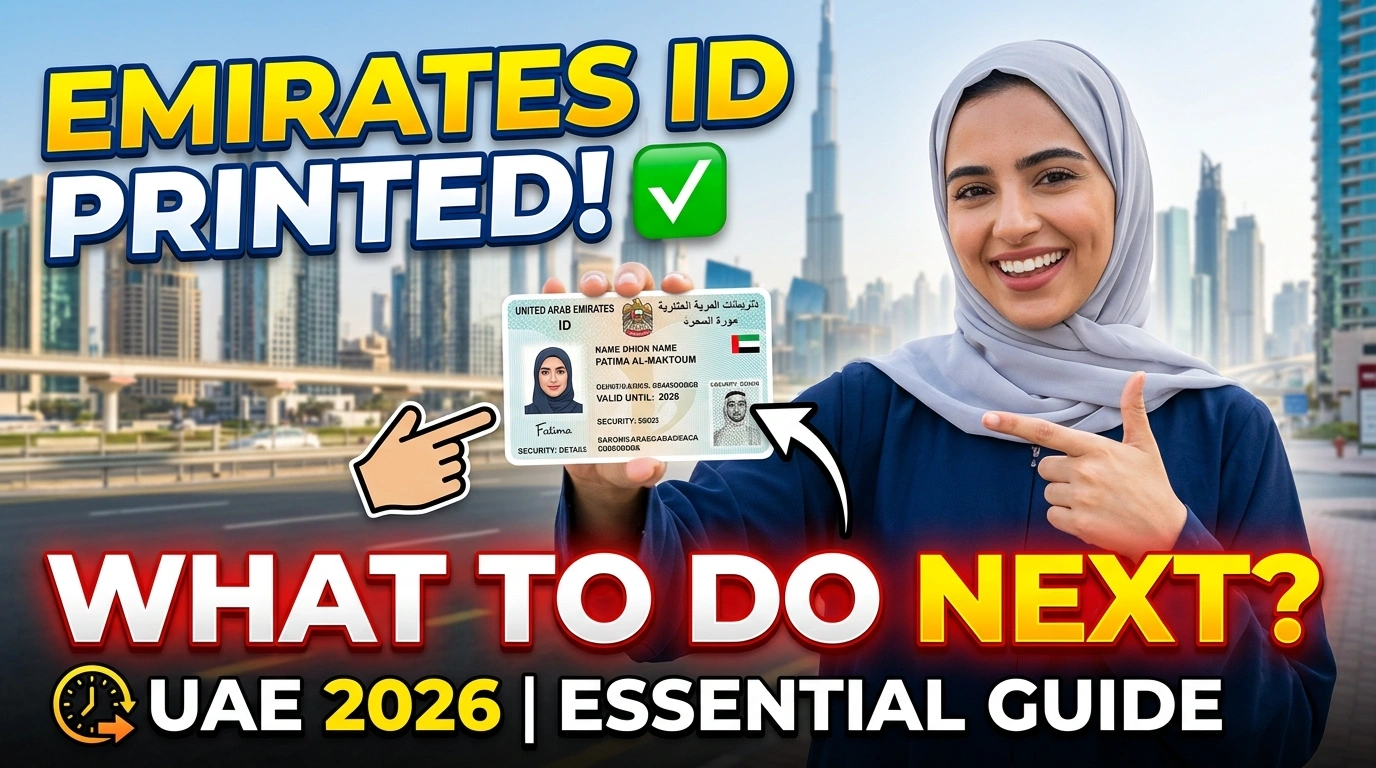
This guide covers everything. Here, you will get to know what the printed status actually means, how long delivery takes, three ways to track your card, and more. You can also monitor your official ID’s progress at any point during this process. In case you need a better understanding of how the entire system works, you can also review the complete registration steps.
What Does Emirates ID Card Printed Status Mean?
When the ICP portal shows ‘Card Printed,’ it means ICP has physically manufactured your Emirates ID card. Your photo, 15-digit Emirates ID number, biometric data, expiry date, and personal details are now embedded in the polycarbonate card.
This status also confirms your application is fully approved. Document verification is done, biometric clearance is done, and there are no outstanding issues with your file.
Important: ‘Card Printed’ is not the final stage. The card still needs to be dispatched to Emirates Post and then delivered or made available for collection. Here is the entire process so you know exactly where you stand:
| Status | What It Means | Action Needed |
| Under Process | ICP reviewing documents and biometrics | Wait, nothing to do |
| Approved for Printing | Application cleared, card being made | Wait, nothing to do |
| Card Printed | Physical card manufactured | Wait for SMS from Emirates Post |
| Dispatched | Card handed to Emirates Post | Track via Emirates Post |
| Ready for Collection | Card at nearest post office branch | Collect with original passport |
| Delivered | Card delivered to your address | Check details on card |
Timeline from printed to delivered: Printed to dispatch usually takes 1 to 2 working days. Dispatched to Delivered takes another 1 to 3 working days depending on your Emirates and building access. Most people receive their card within 3 to 5 working days of seeing the ‘Printed’ status.
What Happens Right After the Card is Printed?
Once ICP finishes printing your card, they hand it over to Emirates Post for delivery or collection. This handover typically happens within 1 to 2 working days of the ‘Printed’ status appearing.
At this point, two things happen almost simultaneously. The ICP portal status updates to ‘Dispatched,’ and you receive an SMS on your registered UAE mobile number from Emirates Post with an AWB (Air Waybill) tracking number.
That AWB number is what you use to track your card through the Emirates Post system and find out which branch it is heading to.
Did not get an SMS? If the status on the ICP portal shows ‘Dispatched’ but no SMS arrived within 48 hours, the most likely cause is that your mobile number changed after you registered for the card. In that case, track manually through the ICP portal using your PRAN number. You can also call Emirates Post directly on 600 599 999 and give them your application reference.
How to Track Your Emirates ID After It is Printed
There are three official ways to track your card from the printed stage all the way to delivery. Use whichever suits you best.
Method 1: ICP Portal
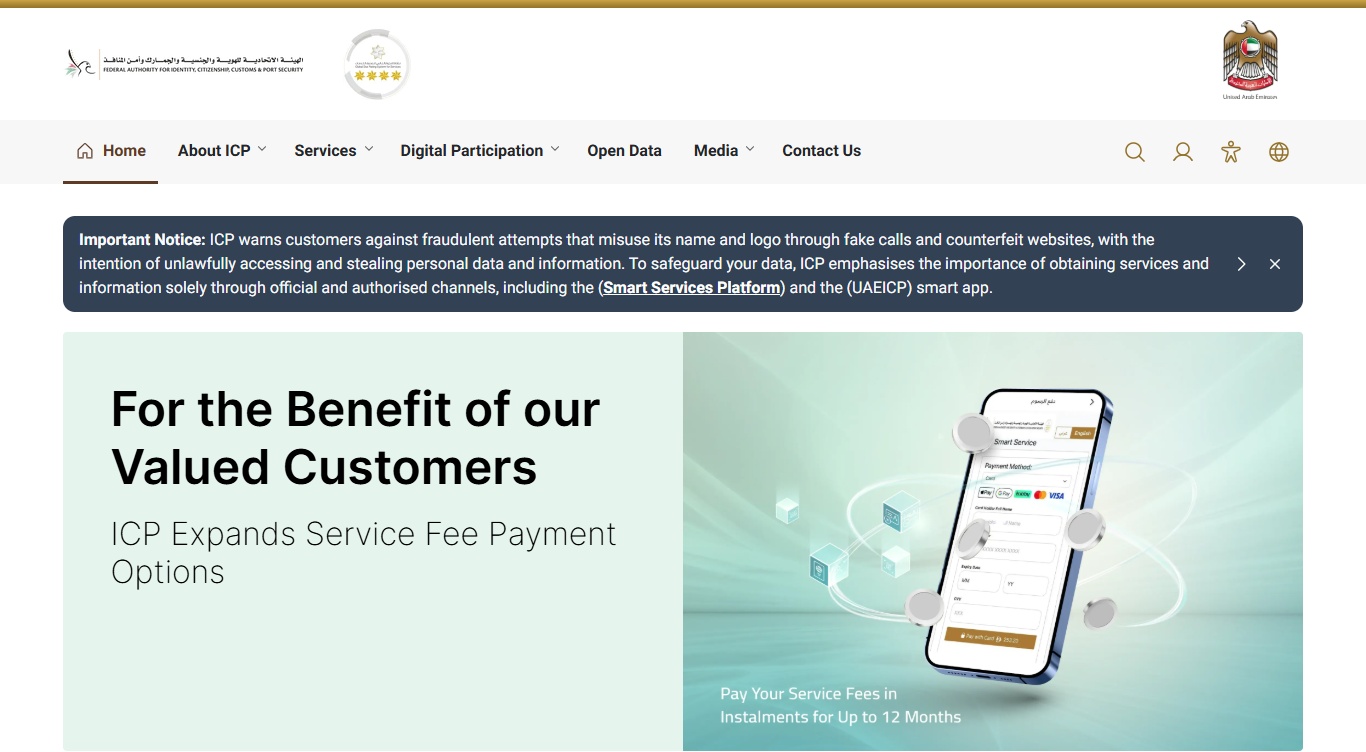
Step 01: Go to icp.gov.ae.
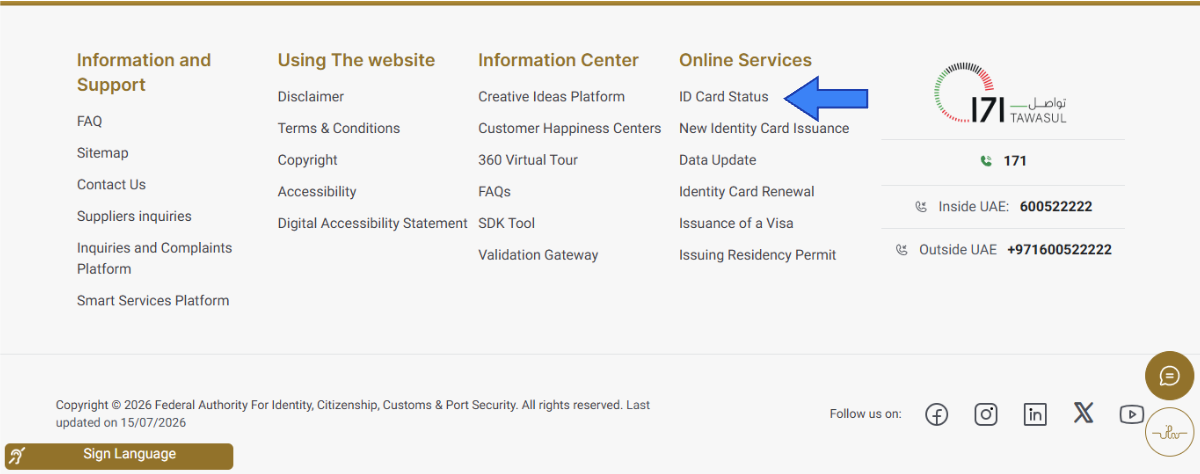
Step 02: Select the ‘ID Card Status’ option from the bottom in the ‘Online Services’ section.
Step 03: Enter your PRAN number from your typing centre receipt or original SMS. If you do not have the PRAN, enter your passport number plus your date of birth.
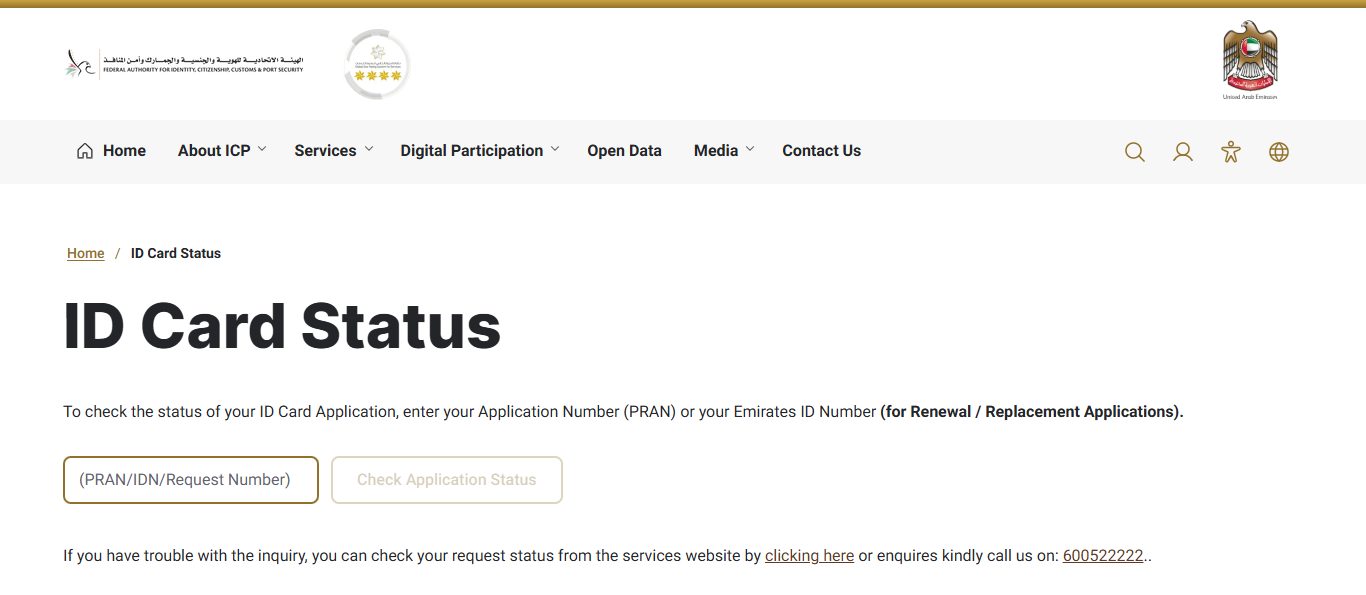
Step 04: Click on ‘Check Application Status’ and your current status will appear instantly. No login is required.
Step 05: If status shows Dispatched, note the tracking reference to use on the Emirates Post website.
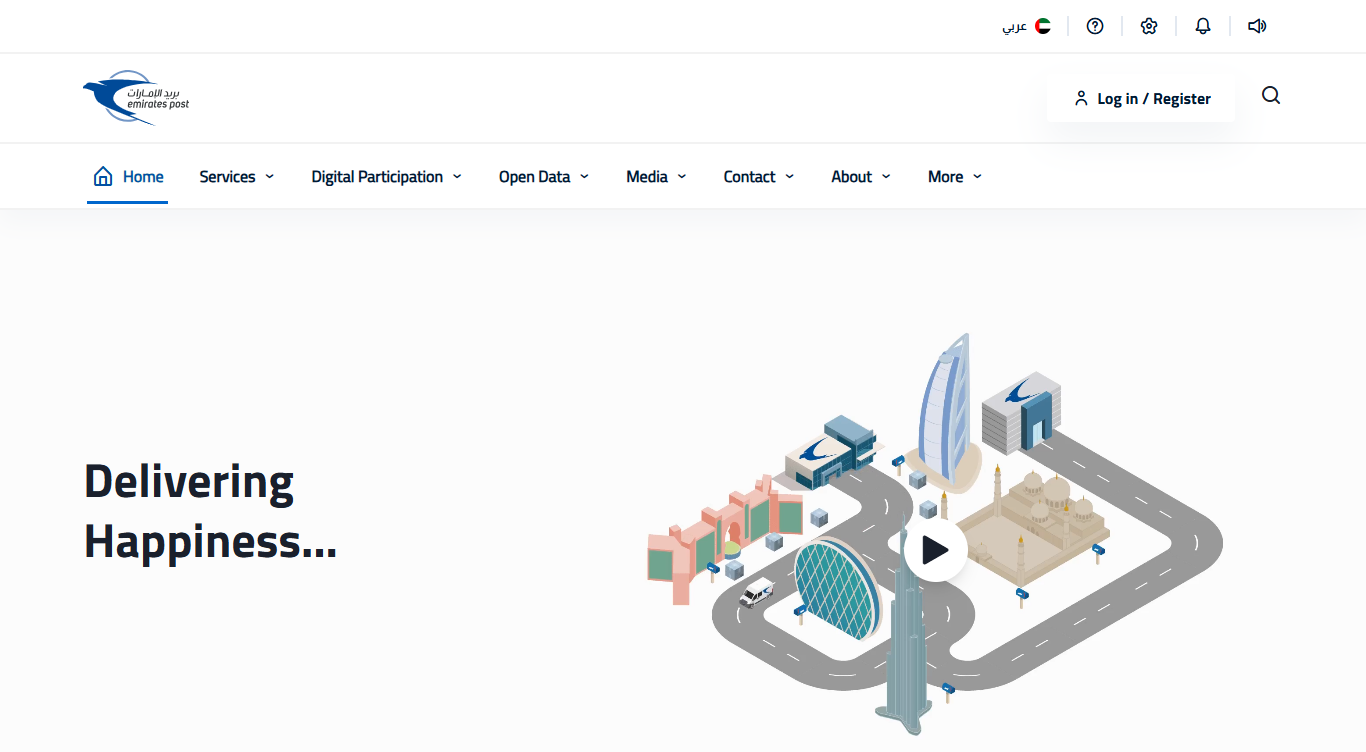
Method 2: Emirates Post Tracking
- Go to the official Emirates Post website or open the mobile app.
- Enter the tracking number and click ‘Track an Item.’
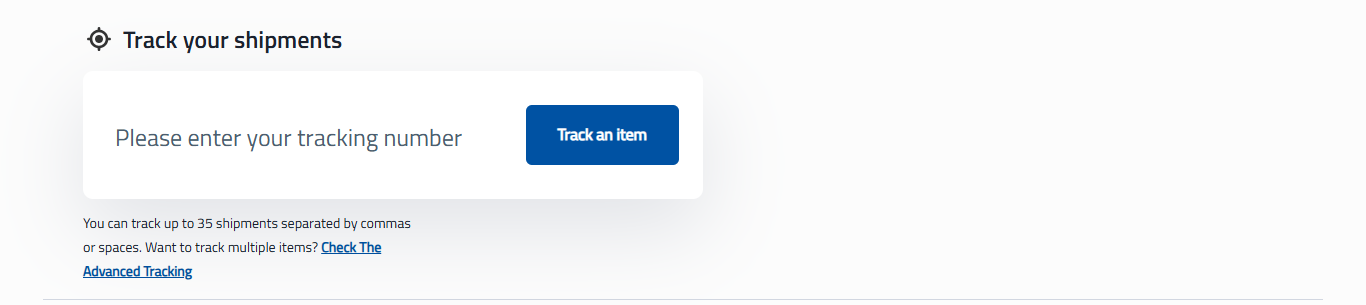
- Delivery stage, assigned branch name, and estimated delivery date all appear on the screen.
Method 3: ICP Smart Services App
- Download the UAEICP app from Google Play or the App Store.
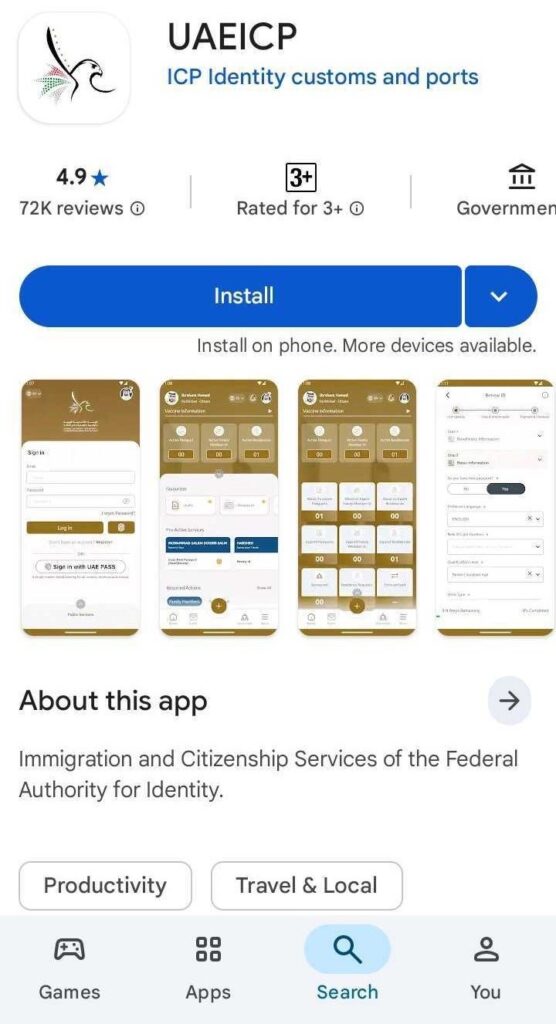
- Log in with your UAE Pass or use the guest option.
- Tap ‘Emirates ID Services’ then ‘Application Status’.
- Status updates in real time. Enable push notifications to get an alert the moment your status changes from Printed to Dispatched
| Method | What You Need | Best For |
| ICP Portal icp.gov.ae | PRAN or passport number | Quick check, no login needed |
| Emirates Post tracking | AWB number from SMS | Exact delivery branch and date |
| ICP Smart Services App | UAE Pass or guest access | Real-time push notifications |
| UAE Pass App | Active UAE Pass account | Residents with valid active ID |
How to Collect Your Emirates ID from Emirates Post
Emirates Post offers home delivery first. If the delivery agent reaches you at your registered address, they will hand over the card directly.
If you are not home or the building is not accessible, the agent leaves a notification slip with the collection branch address and reference number. After two failed delivery attempts, your card is held at the assigned Emirates Post branch.
You have 90 days from the printing date to collect the card. After 90 days, the card is returned to ICP and you will need to visit an ICP Customer Happiness Centre to request re-dispatch or re-issuance, which may come with an additional fee.
What to Bring When Collecting
- Original passport (mandatory for identity verification at the counter)
- Emirates Post notification slip if one was left during delivery attempt
- Application reference number or PRAN (helpful but not always required).
How to Find Your Assigned Branch
- Check the Emirates Post tracking page using your AWB number. The branch name and address appear under delivery details.
- Call Emirates Post on 600 599 999 and give your AWB number if you cannot find it online.
Collection Hours
Emirates Post branches are generally open from Saturday to Thursday, 8:00 AM to 8:00 PM. Hours vary by branch, and some close earlier on Thursdays. Check the Emirates Post website or call ahead to confirm hours at your specific branch before traveling.
Emirates ID Not Received After Printed Status: What to Do
| Problem | Likely Cause | Fix |
| No SMS after Dispatched | Wrong mobile number registered | Track on ICP portal, call Emirates Post 600 599 999 |
| Status stuck on Printed for 3+ days | Processing backlog at ICP | Call ICP on 600 522 222 with your PRAN |
| Delivery failed, no notification slip | Agent could not access building | Call Emirates Post, go collect from assigned branch |
| Card returned after 90 days | Not collected in time | Visit ICP Customer Happiness Centre for re-dispatch |
| Card lost in transit | Courier issue | Report to Emirates Post and ICP, request replacement |
For a card that is genuinely lost after confirmed dispatch, the standard replacement fee is AED 300. Urgent 24-hour replacement costs AED 450. Do not apply for a replacement until you have confirmed with both Emirates Post and ICP that the original card cannot be traced. Read the full guide on what to do if your Emirates ID is lost for the complete replacement process.
Got Your Emirates ID Card? Do These 5 Things First
Once the card is in your hands, do not put it straight in your wallet. Check these five things first.
1. Verify All Details on the Card
Check your full name spelling on your passport. Verify your date of birth, nationality, and Emirates ID number. Confirm the expiry date matches your residence visa exactly. If anything is wrong, report it to the ICP within 30 days via their website or by calling 600 522 222. If the error is on ICP’s side, correction is free. If it came from the wrong information you submitted, a correction fee applies.
2. Update Your Telecom Account
Both Etisalat and du require a valid Emirates ID linked to your registered SIM. An expired or old Emirates ID on file can cause service issues down the line. Update it at any Etisalat or du store or through their apps. The Etisalat and du Emirates ID update guide walks through both options.
3. Update Your Bank Account
UAE banks regularly ask for an updated Emirates ID copy for account maintenance and compliance. Visit your branch or submit an update through your bank’s app. In order to get started, you need to open a Dubai bank account if you don’t already have one.
4. Check Your Medical Insurance
Your Emirates ID links directly to your health insurance record in the DHA system. Use your new card to check your medical insurance status and confirm coverage is active under the updated card details.
5. Save a Digital Copy and Register with UAE Pass
Photograph both sides of your card and save it securely. Then register on UAE Pass if you have not already. UAE Pass stores your Emirates ID digitally and is accepted at most government and semi-government service points. It also speeds up logging into ICP, MOHRE, DHA, and dozens of other government portals without needing to carry the physical card every time.
Emirates ID Validity and When to Renew
Your Emirates ID expiry date matches your UAE residence visa expiry date exactly. The two are always on the same page.
| Resident Type | Emirates ID Validity |
| New expat resident | Same as residence visa (1 to 2 years typically) |
| Long-term resident | Same as residence visa (up to 3 years) |
| Golden Visa holder | 10 years |
| UAE citizen (adult) | 5 or 10 years depending on age |
You can start renewing your Emirates ID 30 to 60 days before the expiry date. There is a 30-day grace period after expiry before fines kick in. After that, a late fee of AED 20 per day applies, capped at AED 1,000.
Set a reminder on your phone right now, based on the expiry date printed on your new card. Do not wait until the last week. Renewals require biometrics, a typing centre visit, and a few working days for processing. There is a complete process involved in renewing your Emirates ID. If you have accumulated any late fines, the Emirates ID fine check feature lets you verify and clear them online.
Final Thoughts
Seeing ‘Card Printed’ on the ICP portal means you are a few working days away from having your Emirates ID in hand. The card moves to Emirates Post within 1 to 2 working days, and delivery follows within 1 to 3 more. Most people receive their card within a week of seeing that status.
Track using your PRAN on the ICP website or the AWB number in the Emirates Post SMS. Once the card arrives, spend five minutes verifying the details, updating your contact information and bank, and setting up a renewal reminder. That is all it takes to stay organized and avoid problems later.
Track your Emirates ID status anytime using the official ICP portal or your UAE Pass app. And if your residence visa is due soon, the UAE residence visa guide explains what to do when your visa and Emirates ID come up for renewal together.
Frequently Asked Questions
How long after Emirates ID is printed will I receive it?
Emirates Post picks up the card within 1 to 2 working days of the ‘Printed’ status appearing. Delivery then takes another 1 to 3 working days. Most people receive their card within 3 to 5 working days of seeing the Printed status on the ICP portal.
What do I do if I did not receive an SMS from Emirates Post?
Track manually at the ICP portal using your PRAN or passport number. If the status shows Dispatched but no SMS arrived within 48 hours, call Emirates Post on 600 599 999. The SMS goes to the mobile number you registered during biometrics, so a number change after that is the most common reason it does not arrive.
Can someone else collect my Emirates ID on my behalf?
Generally, no. Emirates Post requires the cardholder to present their original passport for identity verification at collection. In exceptional cases some branches allow a family member to collect with a signed authorization letter, but this varies. Call your assigned branch in advance to confirm before travelling.
What if the details on my printed Emirates ID are wrong?
Report the error to ICP within 30 days via the ICP website or by calling 600 522 222. If the mistake is on ICP’s side, correction is free. If wrong information was submitted during your application, a correction fee applies. Do not use the card with incorrect details on any official document.
What happens if I do not collect my Emirates ID within 90 days?
The card is returned to ICP after 90 days from the printing date. You will need to visit an ICP Customer Happiness Centre to request re-dispatch or re-issuance. An additional fee may apply for re-issuance.
My status has been on Printed for more than 3 days. What should I do?
Call ICP on 600 522 222 with your PRAN number. Most delays at this stage come from high processing volumes or address-related issues with Emirates Post pickup. ICP can check the internal handover status and advise on next steps during the call.
Can I use UAE Pass instead of carrying my physical Emirates ID?
Yes, for most government and semi-government services. UAE Pass stores your Emirates ID digitally and is widely accepted. However, some transactions still require a physical card, including certain hospital registrations, bank account updates, tenancy contract signings, and vehicle-related services. Carry the physical card until you know which services in your routine require it.

Haris Khan is the lead content expert at TheEmiratesGuides.com, where he oversees the documentation of UAE visa processes, employment opportunities, and government services. With a commitment to factual integrity and real-time updates, he provides the technical expertise necessary to guide readers through the complexities of life and work in the UAE.